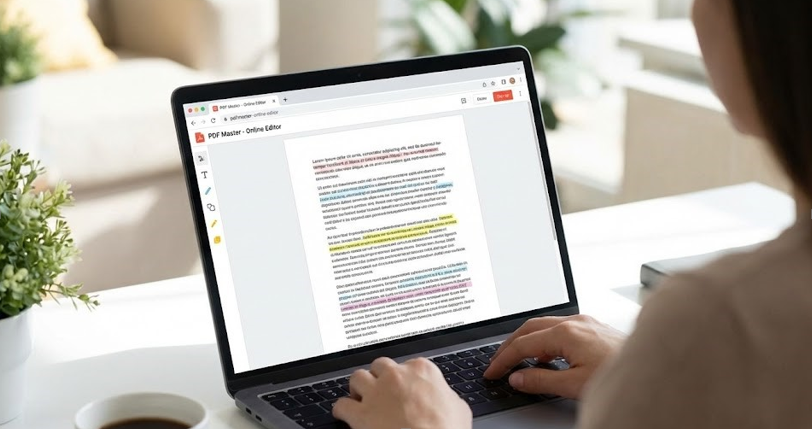

PDF files have become the standard format for sharing documents across the internet and within organizations. Their universal compatibility and ability to preserve formatting across different devices and operating systems make them ideal for professional communication. However, the need to edit PDF files is equally universal. Whether you need to add annotations, fill out forms, or make substantial revisions, having access to a reliable PDF editor is essential. Free PDF editors have emerged as practical solutions that eliminate the need to purchase expensive professional software while still providing the functionality most users require.
The ability to add and edit text represents one of the most fundamental features of any PDF editor software. This capability goes beyond simple typing to include font selection, size adjustment, and color customization. Most free editors allow you to add text boxes anywhere on the page, providing flexibility in document layout. You can adjust text properties such as bold, italic, and underline formatting. The text editing capability extends to existing text in the document, allowing you to modify or delete content as needed. This feature alone makes free PDF editors valuable for updating forms, adding notes, or creating personalized versions of documents.
Image manipulation features
Image manipulation features enable you to enhance documents with visual elements. You can insert images from your computer or from online sources directly into your PDF. Once inserted, images can be resized, rotated, and repositioned to fit your layout requirements. The ability to remove or replace images provides flexibility when documents need updating. Cropping tools allow you to use only portions of images, while filters and effects can enhance visual quality. These image capabilities transform PDF editors from simple text tools into comprehensive design solutions suitable for creating professional documents.
Form filling is a particularly valuable feature for anyone who regularly works with interactive PDF forms. Rather than printing forms and manually completing them by hand, you can fill them out digitally. This digital approach saves time, eliminates handwriting quality concerns, and creates documents that are easier to read and process. Many free PDF editors maintain the form structure, automatically advancing to the next field as you complete each entry. Some editors can save completed forms for future use, streamlining repetitive tasks. This feature has proven invaluable for businesses processing large quantities of forms regularly.
Page manipulation tools provide control over document structure. You can insert new pages, delete unnecessary ones, or rearrange the page order to create the document sequence you need. Splitting functionality allows you to divide a single PDF into multiple separate documents. Merging capability enables you to combine multiple PDFs into a single cohesive file. Rotation tools correct pages that are oriented incorrectly. These page level controls ensure that your final document presents information in the optimal order and orientation, improving readability and professionalism.
Annotation features
Annotation features allow you to add comments, highlights, and other visual markers to documents. Highlighting important text draws attention to key information without permanently altering the document. Comments provide space for detailed notes about specific sections. Underlines and strike throughs help readers quickly identify important passages or deprecated information. These annotation tools are particularly valuable in collaborative environments where multiple reviewers need to provide feedback on documents. The visual clarity of annotations makes it easier for subsequent readers to understand what changes are recommended.
Digital signature capability
Digital signature capability has revolutionized how documents are signed and authenticated. Instead of printing a document, signing it by hand, and scanning it back to digital form, you can now sign directly within the PDF editor. You can create a digital signature that appears consistent across all documents you sign. Some editors support advanced signature verification, ensuring that signed documents maintain their integrity. This feature has accelerated business processes that previously required physical document handling. Organizations have found that digital signatures reduce processing time while maintaining the legal enforceability of signed documents.
The optical character recognition feature transforms document scanning applications by converting scanned images into editable text. When you scan a physical document, it initially appears as an image without searchable or editable text content. OCR technology reads the text in the image and creates an underlying text layer. This transformation enables you to search within scanned documents and edit their content. The accuracy of modern OCR technology rivals that of human transcription, making this feature invaluable for anyone working with scanned documents. Archival documents can be transformed into searchable, editable digital formats.
Search and find functionality enables you to locate specific text within your documents quickly. Rather than manually scrolling through pages to find a particular phrase or word, the search feature instantly identifies all instances. This capability becomes increasingly valuable as document size increases. Advanced search options allow you to search with specific criteria such as case sensitivity or whole word matching. The ability to navigate between search results helps you verify that you’ve reviewed all relevant instances of a search term. This feature saves considerable time, particularly when working with lengthy documents.

Password protection features
Password protection features ensure that sensitive documents remain secure. You can set passwords that prevent unauthorized users from opening documents. Some editors allow you to restrict certain functions, such as printing or copying content, even if the document is successfully opened. These restrictions help maintain document security even if the file is inadvertently shared with unauthorized individuals. Password protection is particularly important for documents containing confidential business information, personal data, or proprietary content. The ability to remove passwords for authorized editing maintains security while allowing legitimate users to make necessary modifications.
Batch processing capabilities allow you to apply the same operation to multiple documents simultaneously. Rather than editing documents one by one, you can select multiple files and apply changes to all of them at once. This functionality saves enormous amounts of time when you need to make consistent changes across document collections. Common batch operations include rotating all pages to correct orientation, converting all files to a specific format, or applying watermarks to multiple documents. Organizations managing large document libraries have found batch processing invaluable for maintaining consistency across their document collections.
See also: How UV DTF Transfers Are Redefining Custom Product Branding for Small Businesses
Watermarking features
Watermarking features enable you to add visible or invisible marks to documents. Visible watermarks appear prominently, warning users that the document is a draft, confidential, or protected in some way. Invisible watermarks embed information that identifies the document source, supporting intellectual property protection. You can customize watermark appearance, size, and positioning. Some editors allow you to add background images or patterns in addition to text watermarks. These features are particularly valuable for protecting proprietary documents and ensuring that document versions are clearly identified.
Conversion capabilities extend the utility of free PDF editors by enabling file format transformation. You can convert PDFs to other formats such as Word documents, PowerPoint presentations, or images. The reverse conversion process allows you to create PDFs from other document types. These conversion features eliminate the need for separate specialized tools, consolidating functionality within a single platform. Format flexibility ensures that your documents can be shared in whatever format your recipients require, improving collaboration and reducing compatibility issues.
Conclusion
In conclusion, free PDF editors offer a comprehensive array of features that address virtually all document editing needs. From basic text editing to advanced capabilities like OCR and batch processing, these tools provide functionality comparable to expensive professional software. Understanding which features are most valuable for your specific use cases helps you select the PDF editor best suited to your needs. Whether you’re an individual user or managing documents for an organization, the right free PDF editor can significantly improve your efficiency and productivity.